

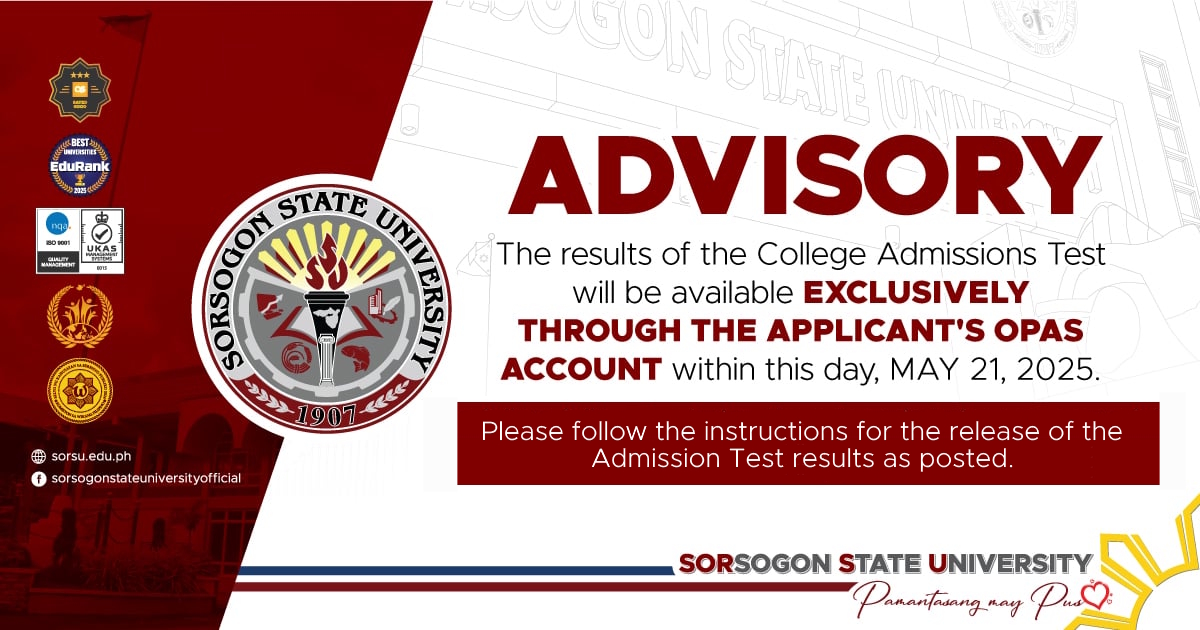
The official results of the Sorsogon State University College Admissions test for incoming Freshmen students for Academic Year 2025-2026 will be made available within today, May 21, 2025. The results will be exclusively accessed through the applicants’ Online Pre-Admission System (OPAS) accounts.
Please follow the instructions in accessing the College Admission Test results as posted.
For your guidance and reference.
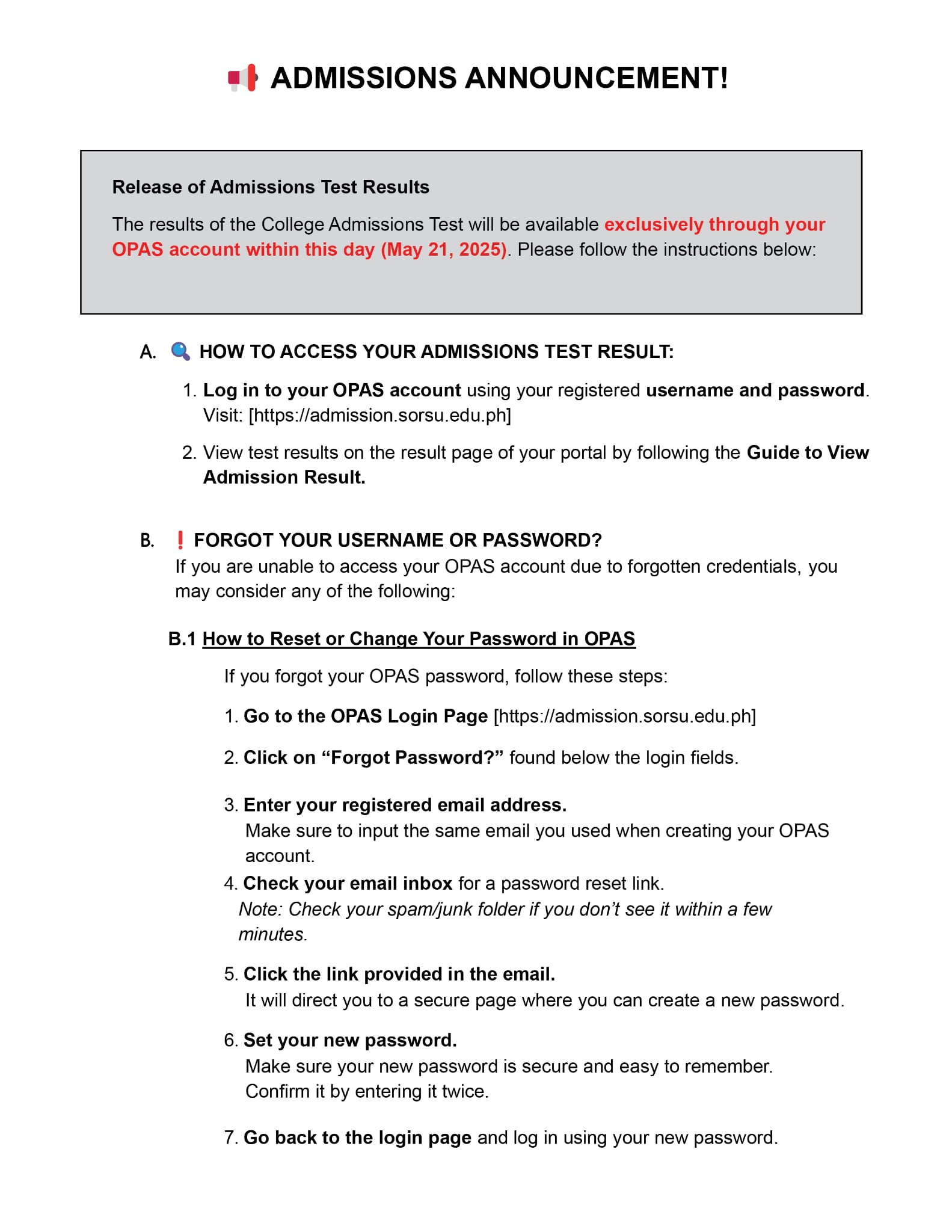


ADMISSIONS ANNOUNCEMENT!
Release of Admissions Test Results
The results of the College Admissions Test will be available exclusively through your OPAS account within this day (May 21, 2025). Please follow the instructions below:
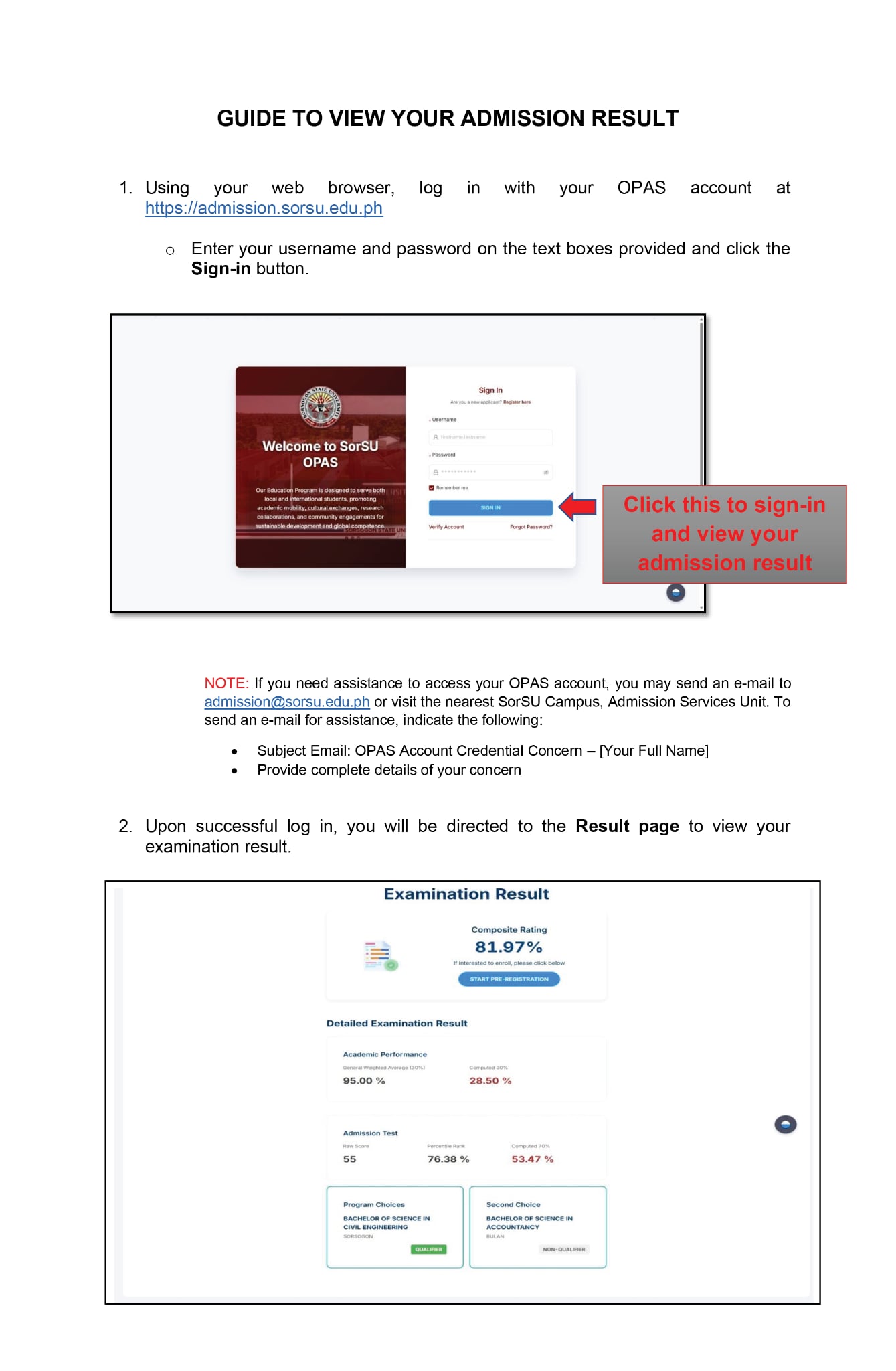
HOW TO ACCESS YOUR ADMISSIONS TEST RESULT:
- Log in to your OPAS account using your registered username and password. Visit: [https://admission.sorsu.edu.ph]
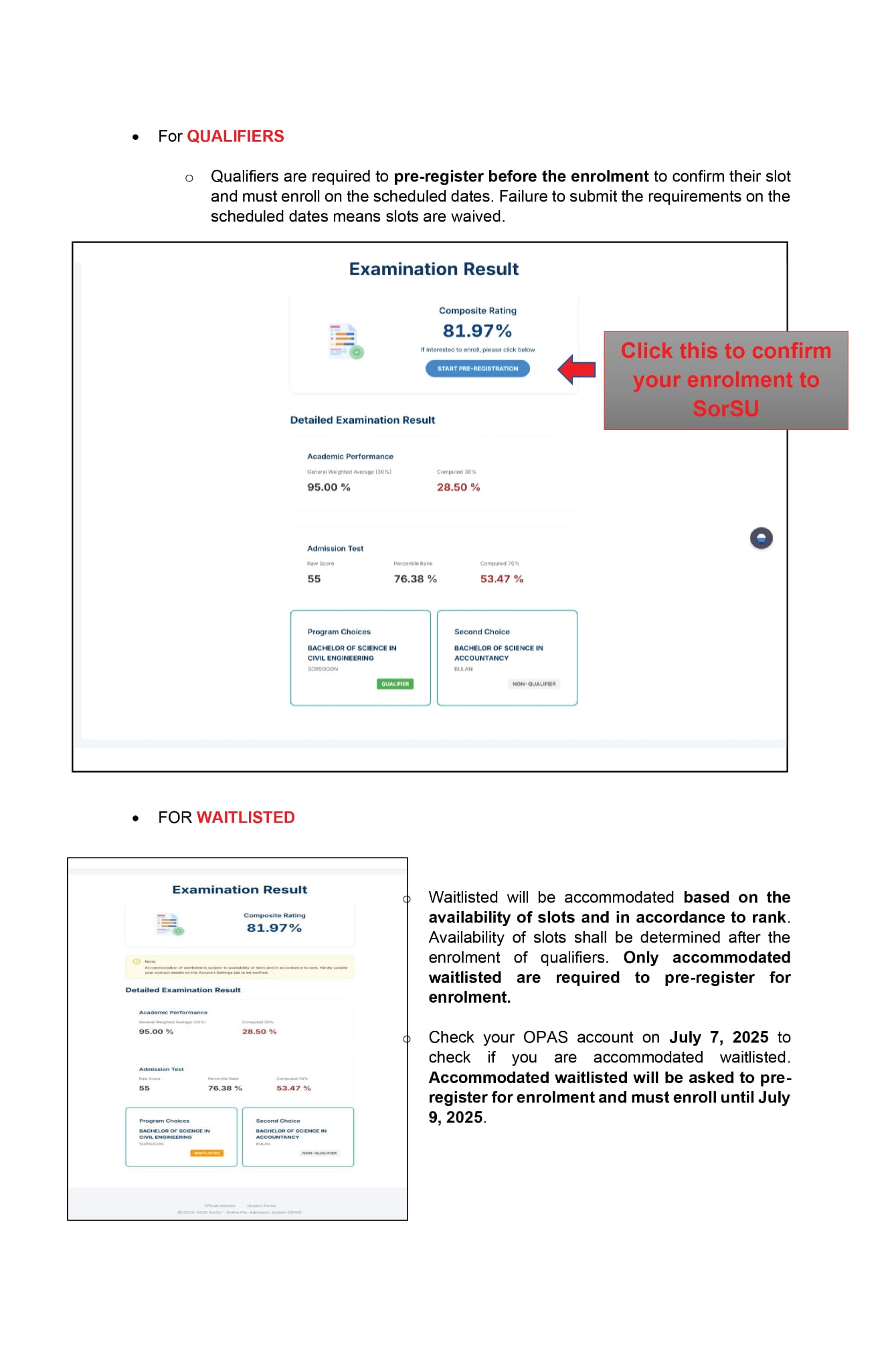
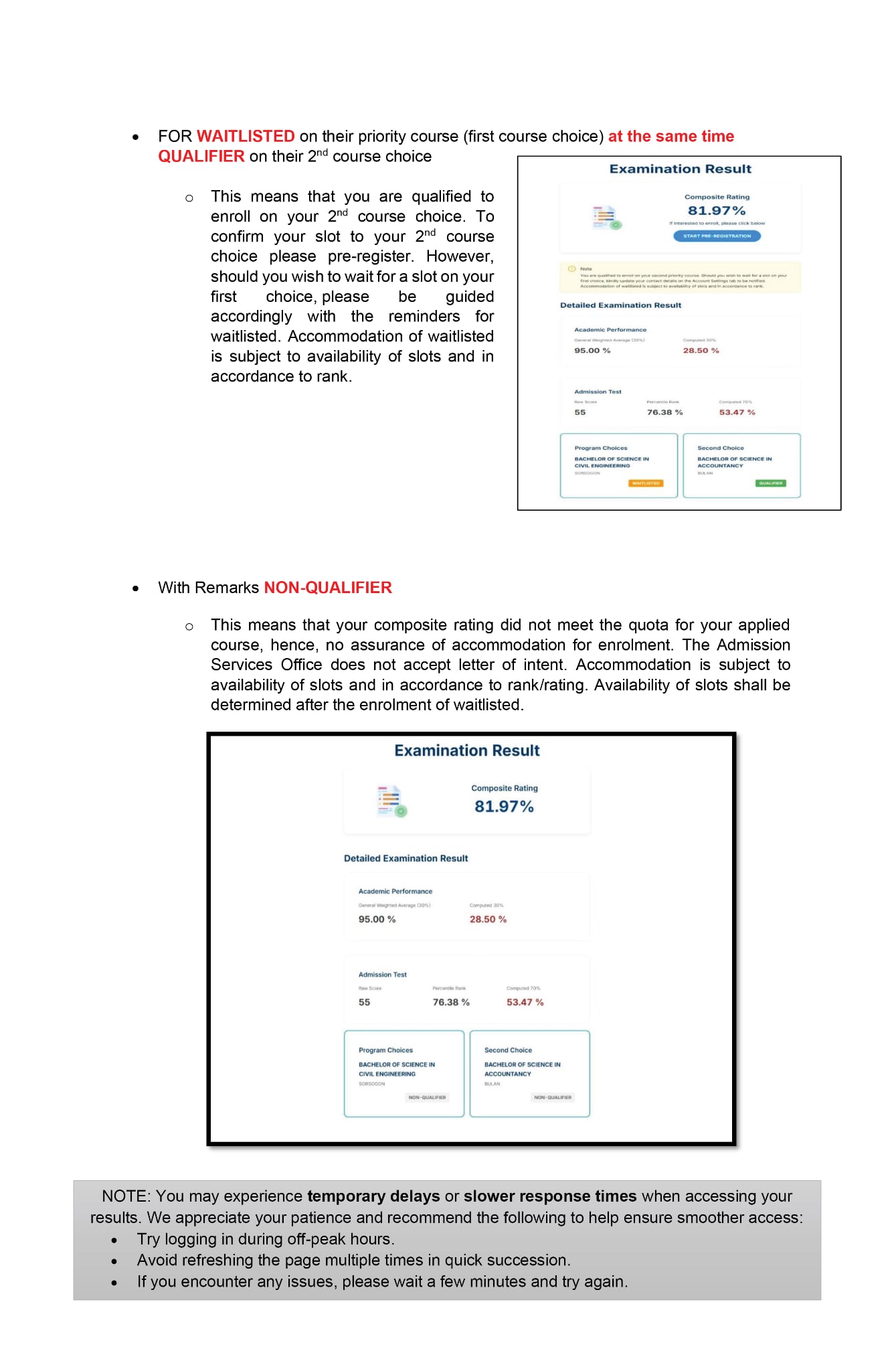
- View test results on the result page of your portal by following the Guide to View Admission Result.
B. FORGOT YOUR USERNAME OR PASSWORD?
If you are unable to access your OPAS account due to forgotten credentials, you may consider any of the following:
B.1 How to Reset or Change Your Password in OPAS
If you forgot your OPAS password, follow these steps:
1. Go to the OPAS Login Page [https://admission.sorsu.edu.ph]
2. Click on “Forgot Password?” found below the login fields.
3️. Enter your registered email address.
Make sure to input the same email you used when creating your OPAS account.
4. Check your email inbox for a password reset link.
Note: Check your spam/junk folder if you don’t see it within a few minutes.
5️. Click the link provided in the email.
It will direct you to a secure page where you can create a new password.
6️. Set your new password.
Make sure your new password is secure and easy to remember. Confirm it by entering it twice.
7️. Go back to the login page and log in using your new password.
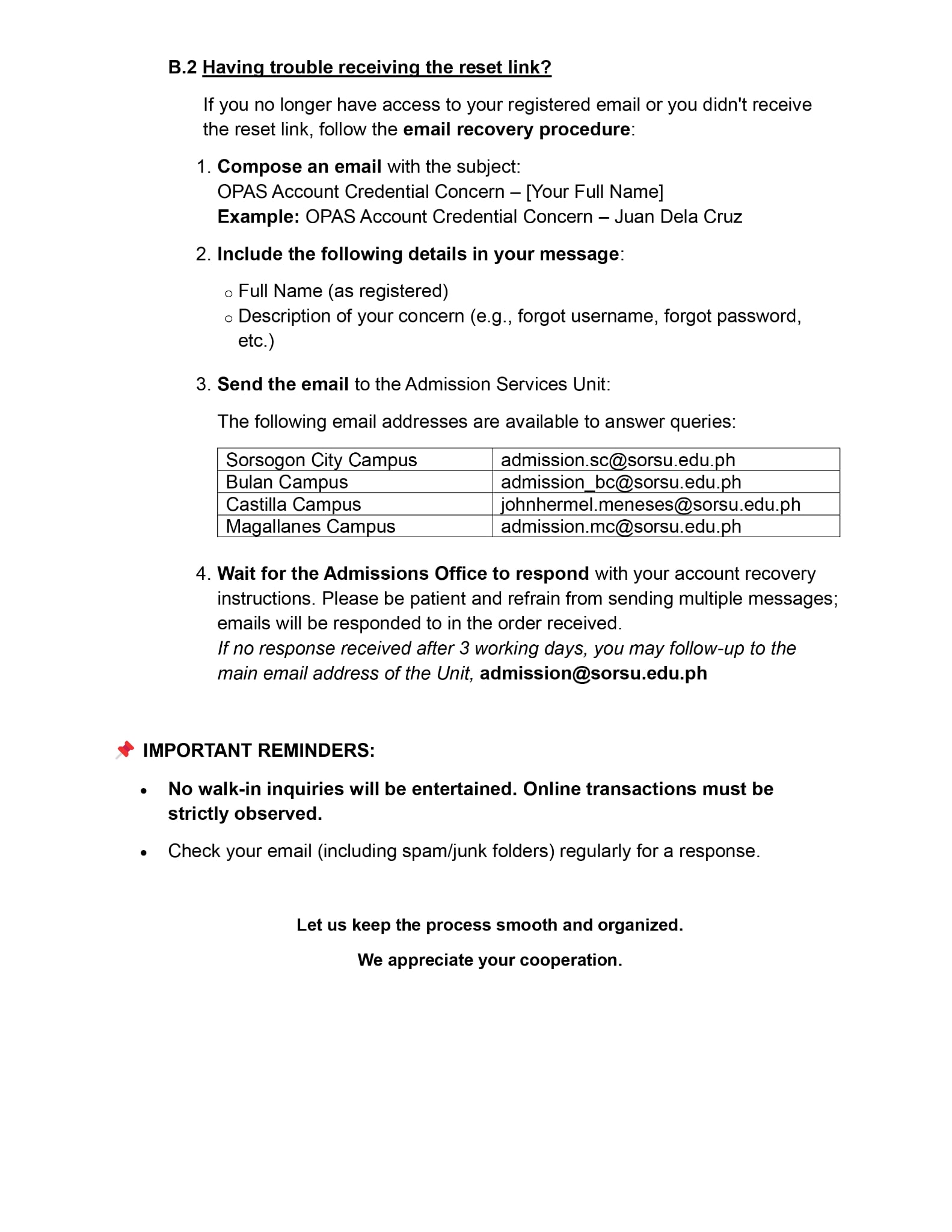
B.2 Having trouble receiving the reset link?
If you no longer have access to your registered email or you didn’t receive the reset link, follow the email recovery procedure:
- Compose an email with the subject:
OPAS Account Credential Concern – [Your Full Name]
Example: OPAS Account Credential Concern – Juan Dela Cruz - Include the following details in your message:
o Full Name (as registered)
o Description of your concern (e.g., forgot username, forgot password, etc.) - Send the email to the Admission Services Unit:
The following email addresses are available to answer queries:
Sorsogon City Campus – admission.sc@sorsu.edu.ph
Bulan Campus – admission_bc@sorsu.edu.ph
Castilla Campus – johnhermel.meneses@sorsu.edu.ph
Magallanes Campus – admission.mc@sorsu.edu.ph
4. Wait for the Admissions Office to respond with your account recovery instructions. Please be patient and refrain from sending multiple messages; emails will be responded to in the order received.
If no response received after 3 working days, you may follow-up to the main email address of the Unit, admission@sorsu.edu.ph
IMPORTANT REMINDERS:
- No walk-in inquiries will be entertained. Online transactions must be strictly observed.
- Check your email (including spam/junk folders) regularly for a response.